

Sharing content to Social Media
This section explains how to connect your social media accounts, how posting works in Framework and how to use the planner for your ongoing schedule.
Ways to share content
Once your accounts are connected there are two main ways to publish content.
1. Share a design
Most people begin from the template library.
Choose a template, customise it, and when you create your design you will see the option to share it straight to social media by clicking share to social media after the design is generated.
You can write a caption, use AI to help write it for you, pick the accounts you want to post to and choose when it should be published.
2. Sharing from the planner
You can also create posts directly inside the Planner.
This is useful for content you have created outside Framework or if you want to manage your whole schedule in one place.
Select Create Post in the planner to upload a photo or video, write a caption and choose the accounts you want to publish to.
You can post it now, schedule it for a future time or add it to your queue.
Understanding the queue
A queue is a set of regular posting times during the week.
For example, you might choose Tuesday morning and Friday afternoon as your preferred slots.
If you add a post to your queue it will automatically be placed into the next available slot.
This helps you keep up a steady posting rhythm without choosing a time every single time.
Managing your queue
To adjust your queue go to Settings, then Social Media, then Publishing Schedule.
Here you can set your time zone and add or remove time slots.
If you change your queue you will be asked whether you want to reschedule existing queued posts to match the new times.
Selecting yes keeps everything consistent and is usually the easiest option, as your posts keep the same order and move into the new schedule.
Managing and editing scheduled posts
Inside the Planner you can see all upcoming posts on your calendar view.
Select any post to edit the caption, change the date or replace the image.
You can also unschedule a post if you no longer want it to publish.
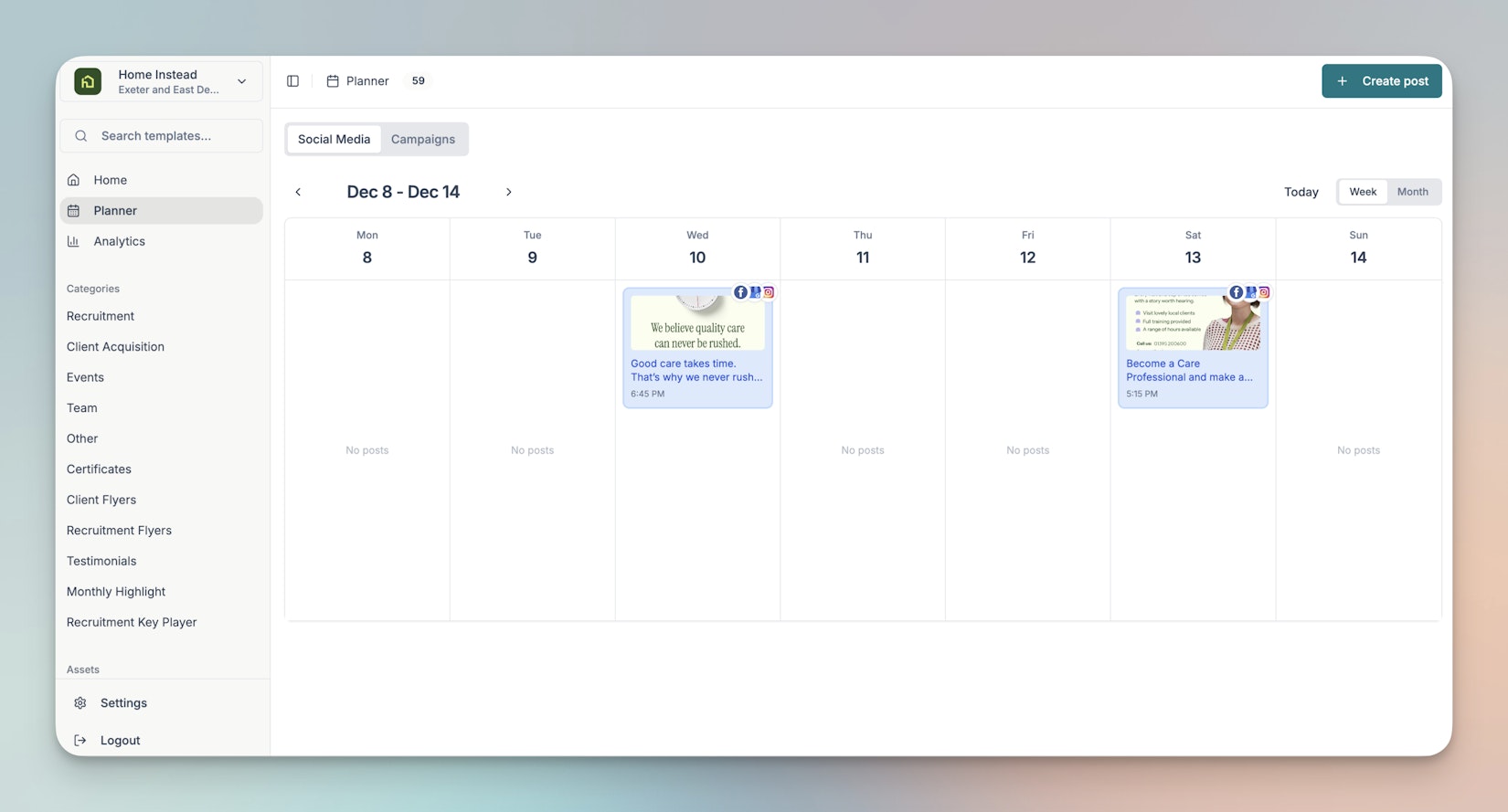
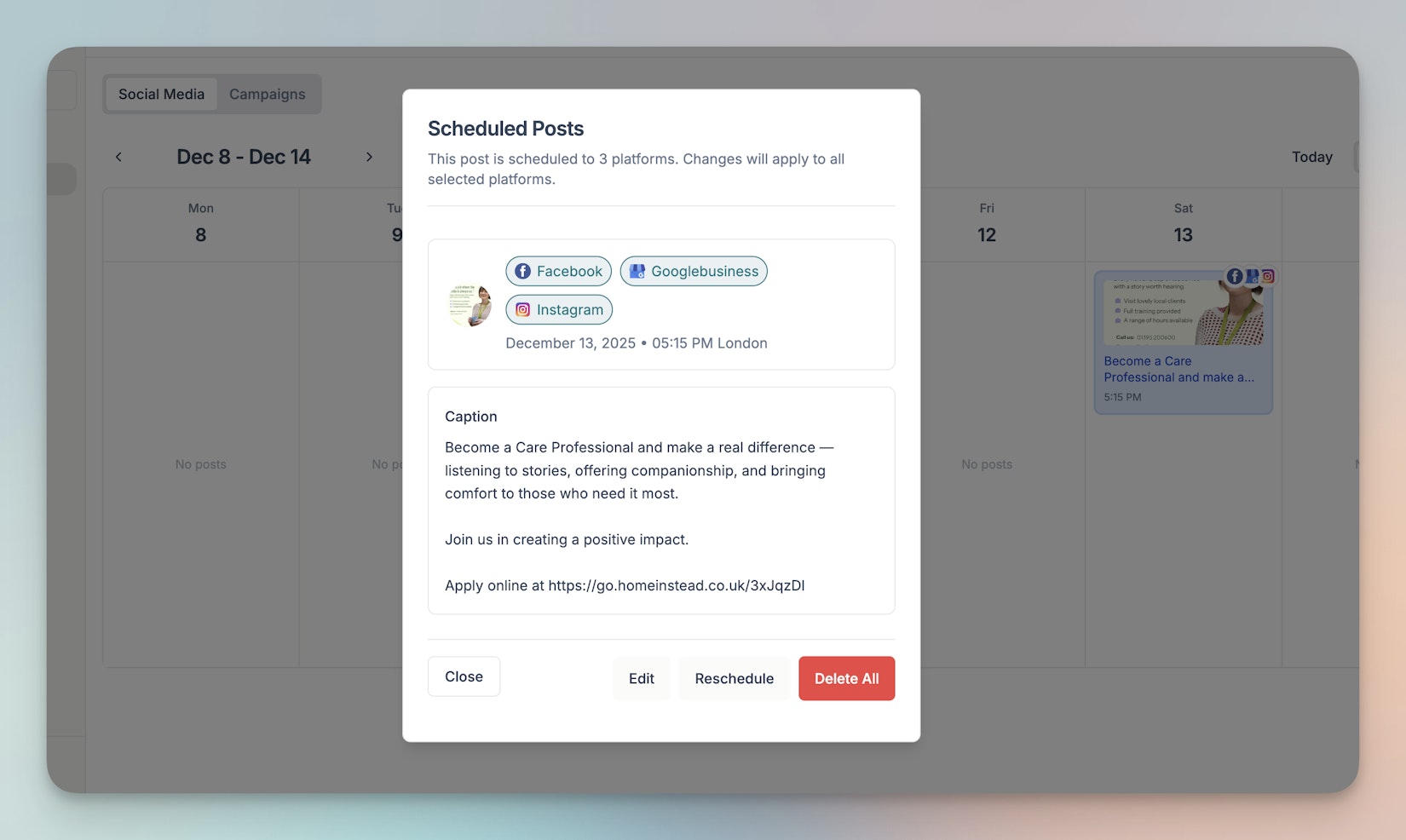
The planner is the best place to keep track of your activity across all social platforms. You can return to it at any time to adjust your schedule.
Last updated today